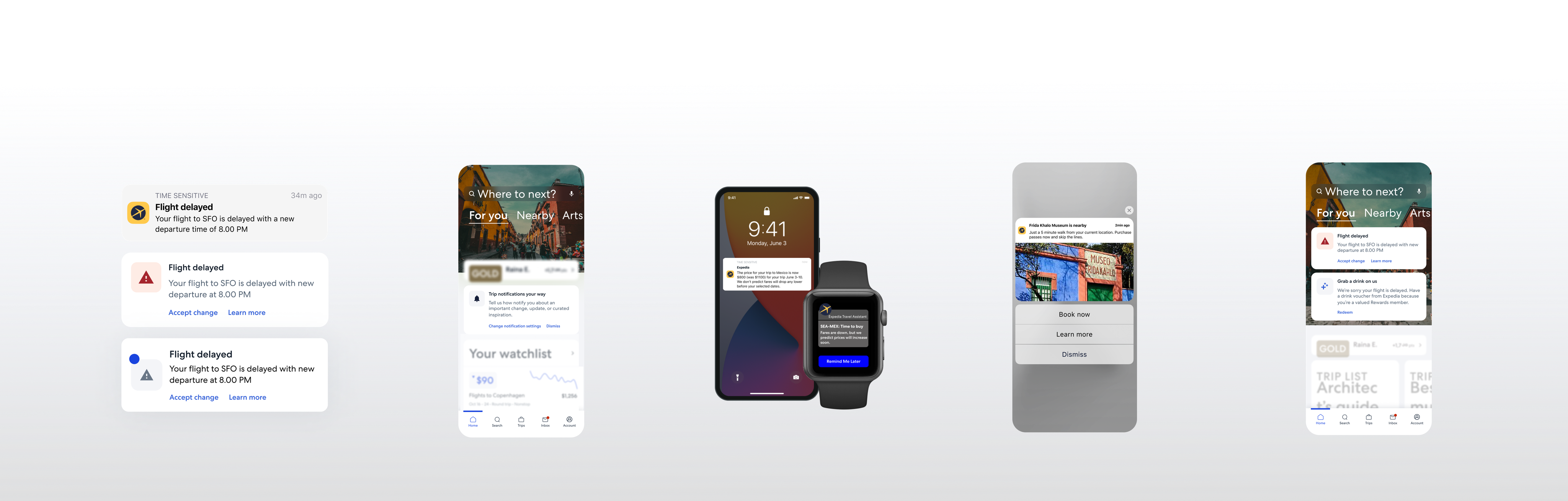
A spread of Expedia communications: a stack of flight-delay notification treatments, a 'Where to next?' home screen with a Gold membership card, a phone and Apple Watch showing a fare-drop price alert, a 'Frida Kahlo Museum is nearby' push, and a second home screen pairing a delay alert with a 'Grab a drink on us' voucher.

Expedia Group: Communications Strategy

Enhancing Expedia Group's communications to elevate the traveler experience across the journey, boosting trust and improving app retention.

When
Sep 2021 – Jan 2024
Who
  • Product Design
  • Product
  • Engineering
  • Engineering
  • Legal
What
  1. 01

    Created in-app communications governance to standardize UI patterns, placements, and behaviors

  2. 02

    Identified gaps in the mobile push user journey, boosting traveler trust, user retention, and revenue per booking

  3. 03

    Reesigned opportunities to add revenue-generating modules to highly-opened transactional emails

Impact

$15.6M
annual gross profit
2.78%
increase to app downloads
The situation
Business problem

Communication owners across Expedia Group created content and visual patterns for ad-hoc needs, which contributes to less effective, disjointed messaging.

Traveler problem

Travelers needed the right message, at the right place, at the right time, to shop for and take seamless trips.

Communications strategy

All outbound communications: SMS, push, in-product Inbox, and email are mapped out to present their interconnected relationship.
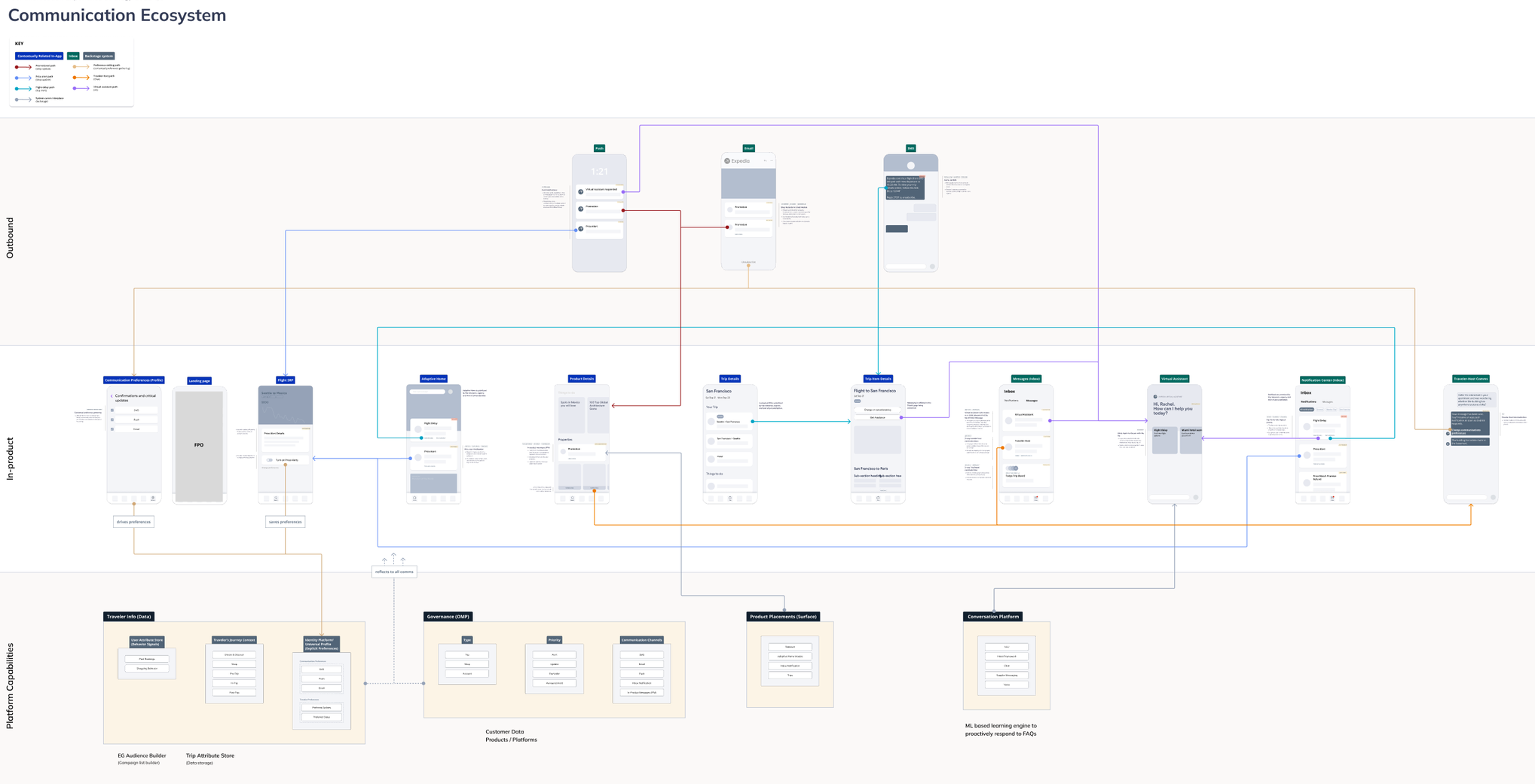
A 'Communication Ecosystem' diagram: outbound push, email, and SMS surfaces at top, connected by colored paths down through in-product surfaces (adaptive home, product details, trip details, inbox, virtual assistant, notification center, travel hub) to platform capabilities at the bottom — traveler data, governance, product placements, and a conversation platform.
Current-state ecosystem diagram used to align stakeholders

Outbound push

I compared iOS and Android push behavior and rich-push capabilities to bring thoughtful messaging across the traveler journey.
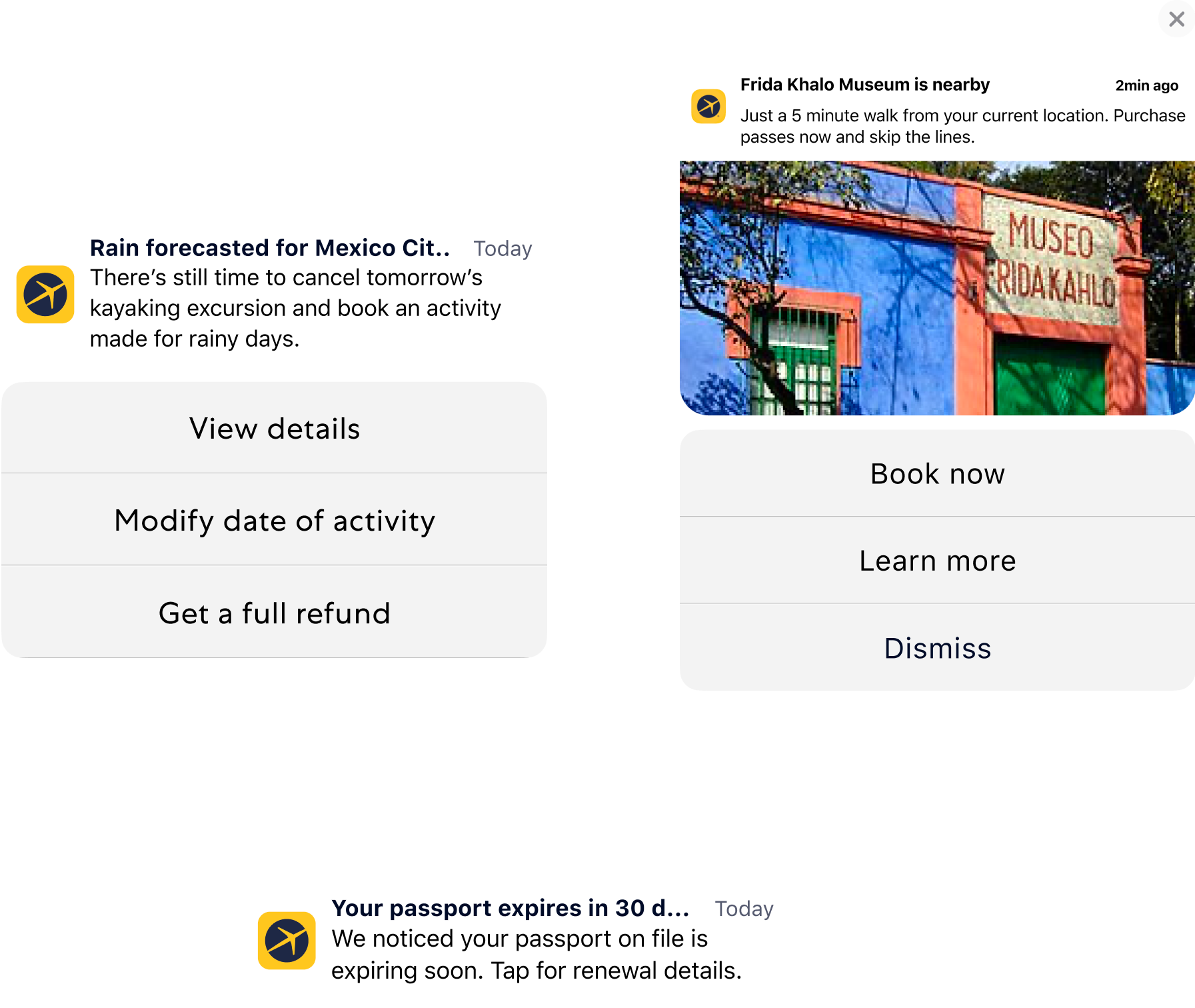
Examples of push messaging across shopping, account, and in-trip use cases

Purchase confirmation email

The booking confirmation spans across hotel, flight, car, activity, or packages. Because this email has a 70% open rate, it has a huge opportunity to be more clear presenting trip information and effective at driving upsells / conversions.

Legacy purchase confirmation email

The legacy confirmation email lacks a modern visual polish and is less effective in hitting key revenue and conversion metrics. This is especially evident against industry standards. Key pain points are:

Length

500+ words and 3–5 scrolls to get through.

Visual design

Outdated voice, tone, and visual style.

Accessibility

Low contrast, unlabelled links, no clear hierarchy.

Navigation

CTAs land on unexpected pages, breaking the confirmation moment's confidence.
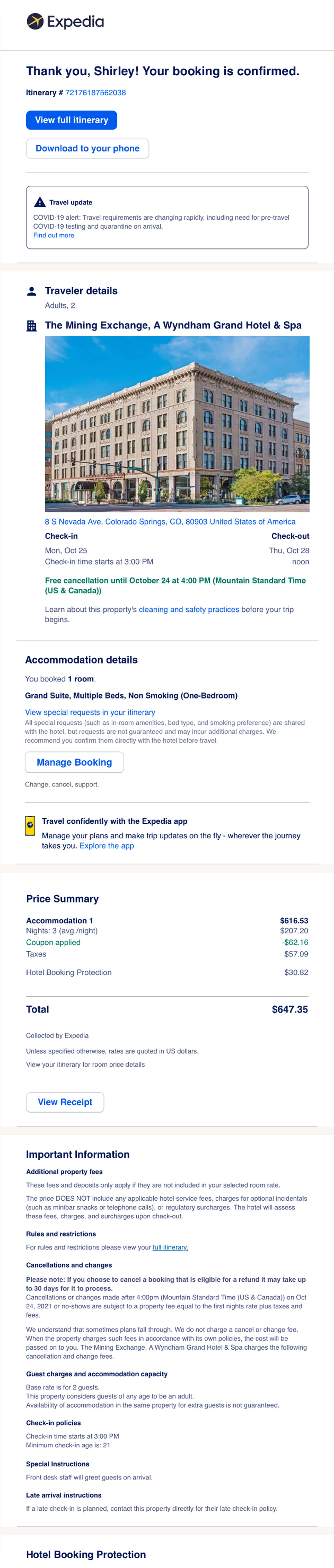
The legacy purchase confirmation email: 'Thank you, Shirley! Your booking is confirmed.', a COVID-19 travel-update callout, a hotel photo and address, accommodation details, a price summary table, and a long block of important information covering fees, rules, cancellations, and check-in policies.

Email eye-tracking study

I partnered with a researcher to identify a previous eye-tracking study to understand informational hierarchy. That study revealed the focus first lands on the hotel photo then photo then trip details
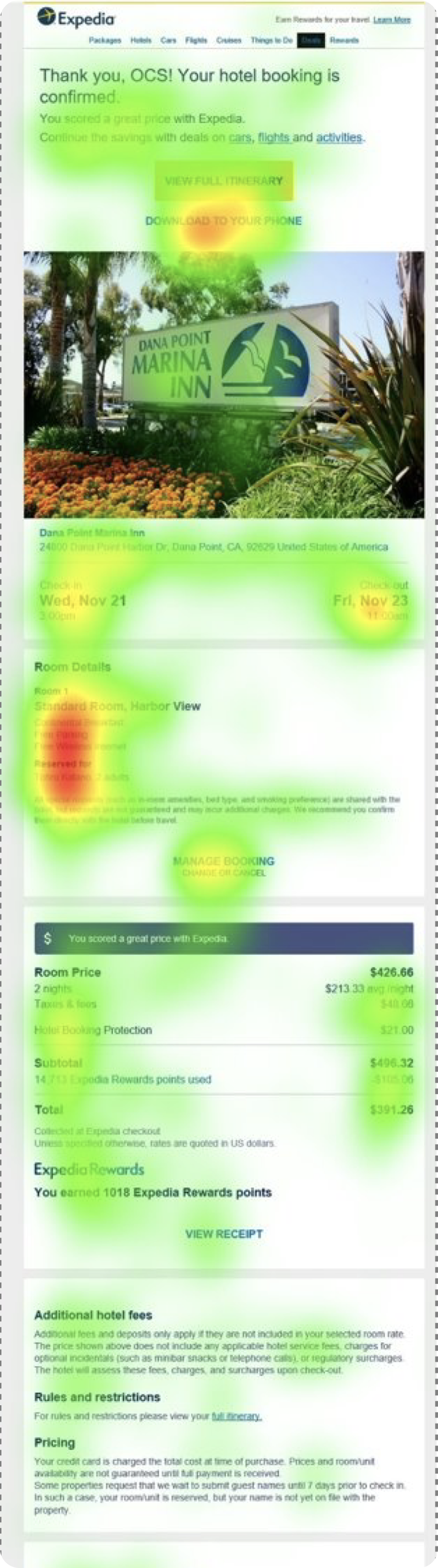
A gaze heatmap over the legacy hotel confirmation email: warm hotspots concentrated on the property photo, check-in and check-out dates, the room details paragraph, and the price total, with only light, scattered attention on the 'View full itinerary' and 'Download to your phone' buttons near the top.
Eye-tracking study of the legacy purchase confirmation email.

Content card sort

A combination of a card sort research study and business judgement defined what the holistic content hierarchy should be for the redesigned confirmation email.

Header
Hero w/ confirmation
Product details
Room upgrade
Traveler details
Price summary
Rewards
General promotion
Support options
Helpful add'l info
Footer
  • New product pattern
  • Product patterns
  • Marketing patterns
  • Support
  • Structural
Card sort output example for the hotel confirmation email

Summary card hero module

A new design component was iteratively designed to enhance delight and summarize key trip elements.
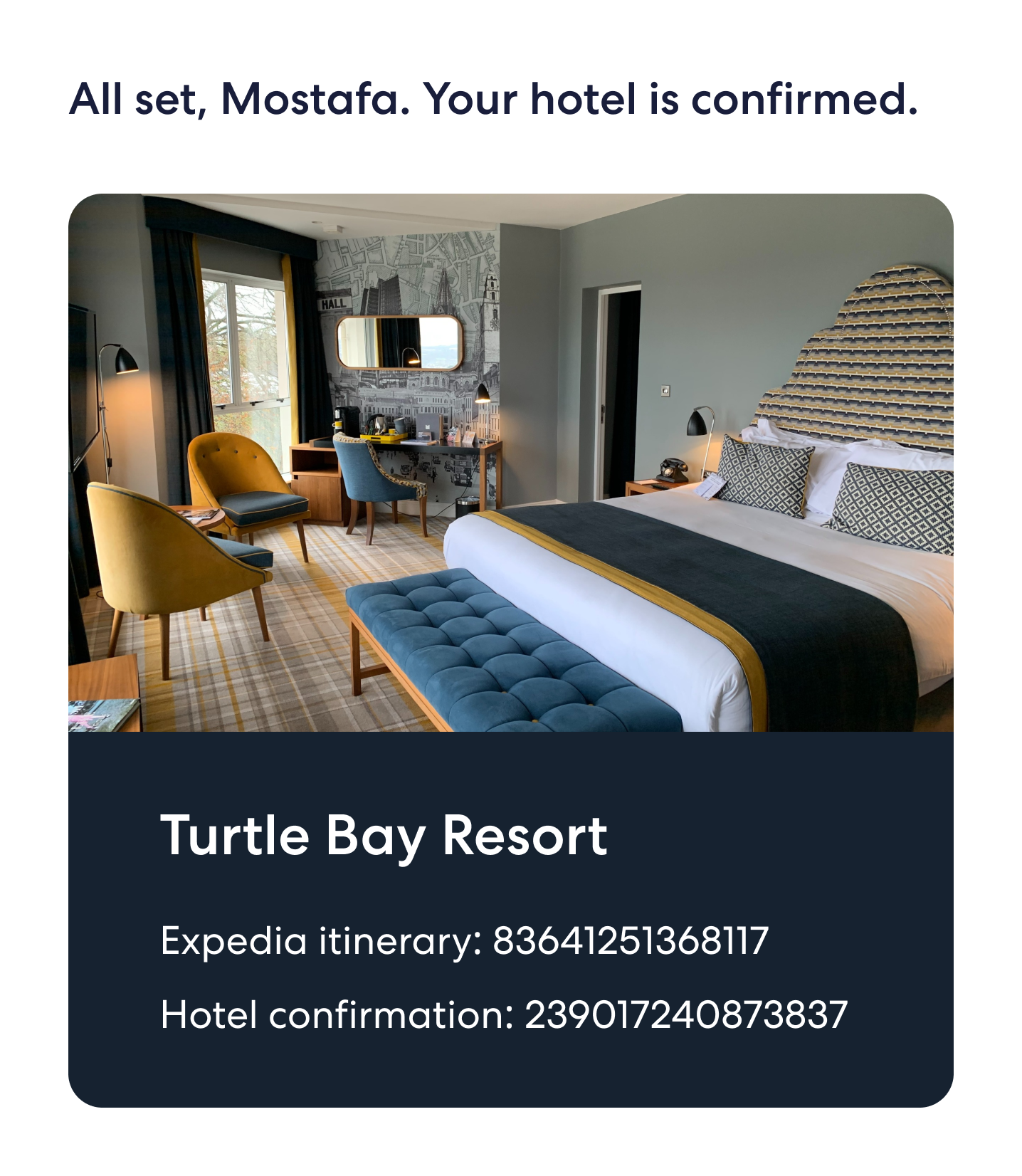
Hotel confirmation hero: 'All set, Mostafa. Your hotel is confirmed.' over a photo of a Turtle Bay Resort room, with the hotel name and itinerary and confirmation numbers.
Hotel
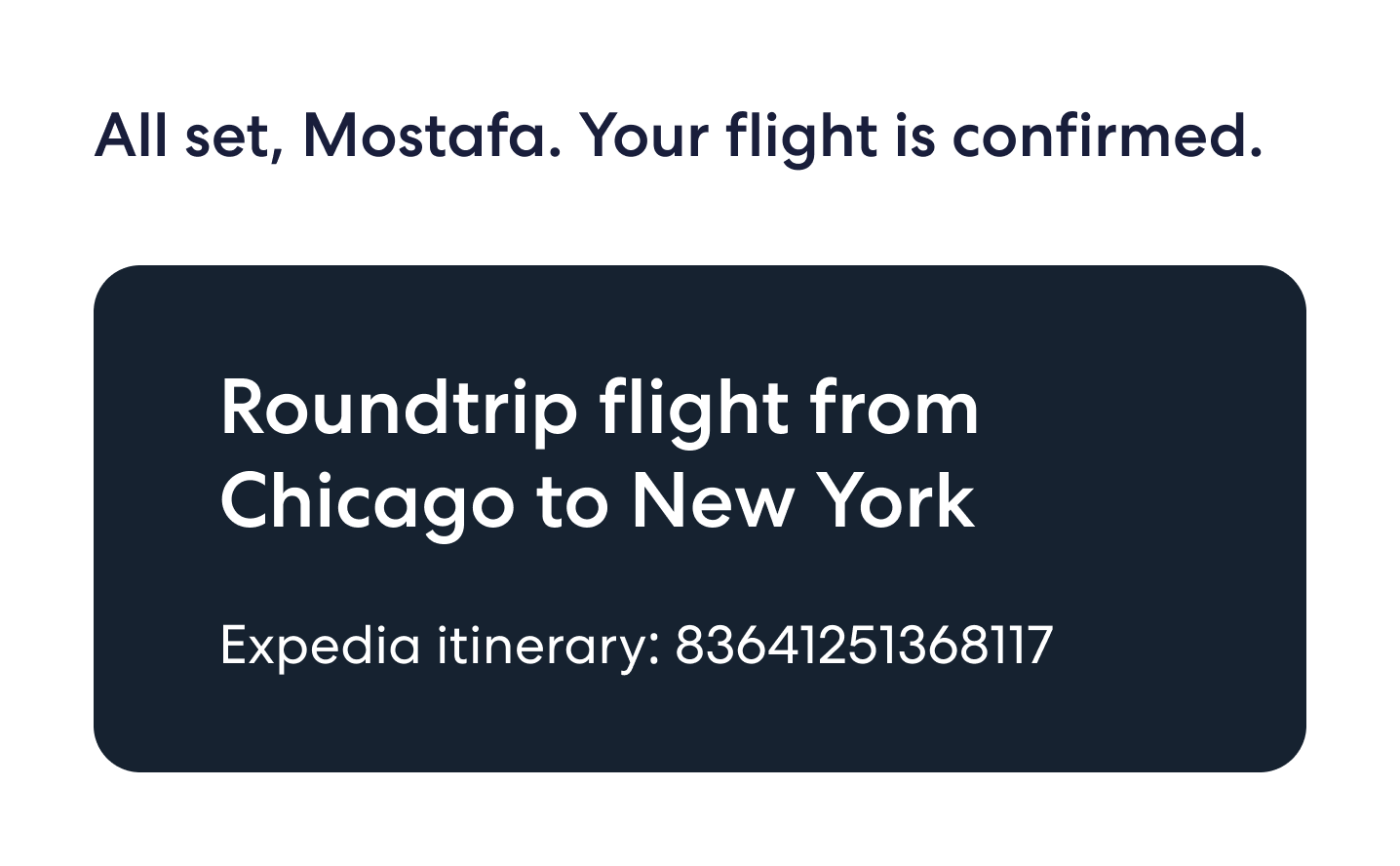
Flight confirmation hero: 'All set, Mostafa. Your flight is confirmed.' with a dark panel reading 'Roundtrip flight from Chicago to New York' and an itinerary number.
Flight
Car confirmation hero: 'All set, Mostafa. Your car reservation is confirmed.' over a photo of a Ford Escape, with a '[Avis] car rental in [Kahuku]' panel showing itinerary and confirmation numbers.
Car
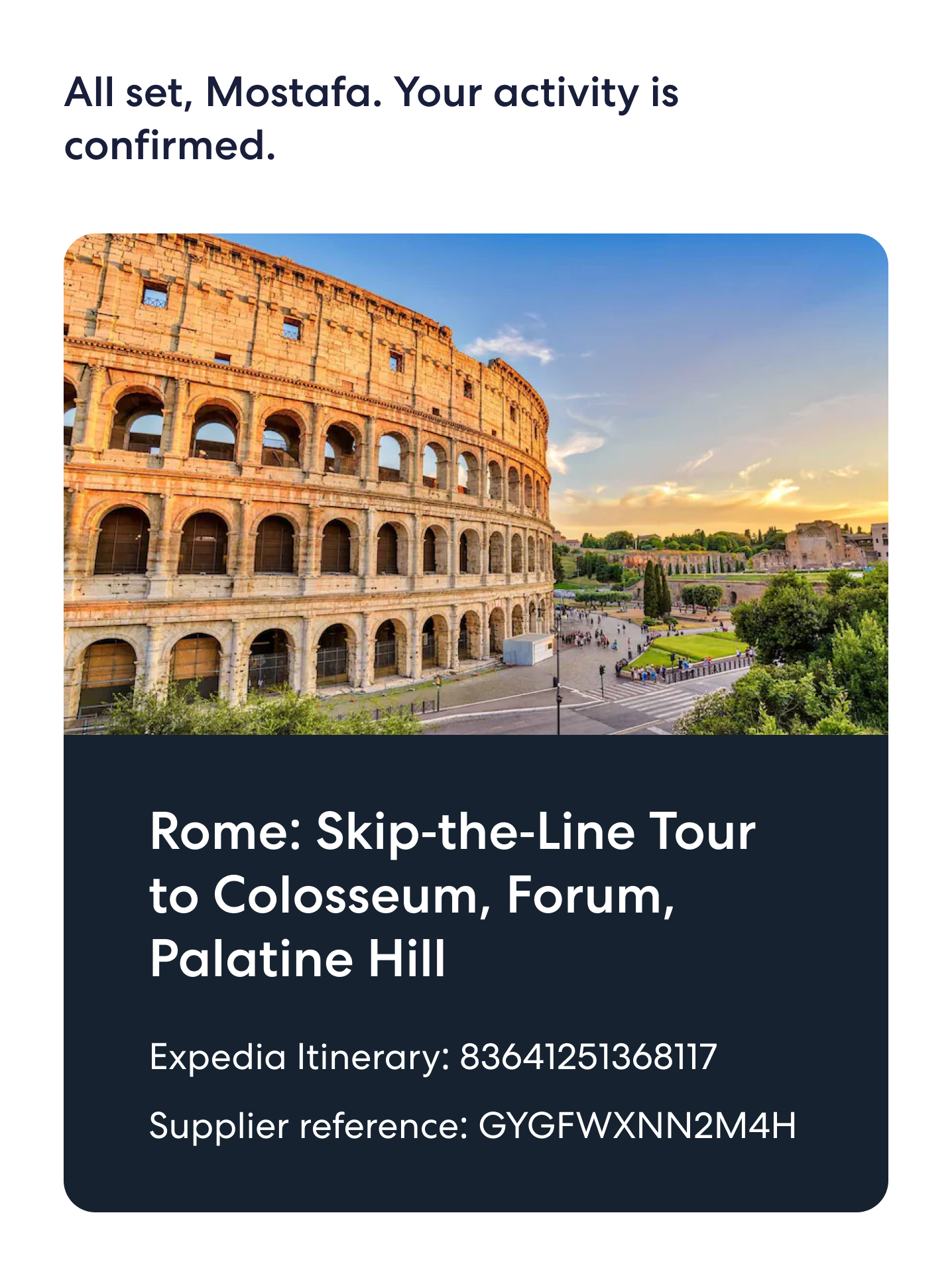
Activity confirmation hero: 'All set, Mostafa. Your activity is confirmed.' over a photo of the Colosseum, with 'Rome: Skip-the-Line Tour to Colosseum, Forum, Palatine Hill' and a supplier reference.
Activity
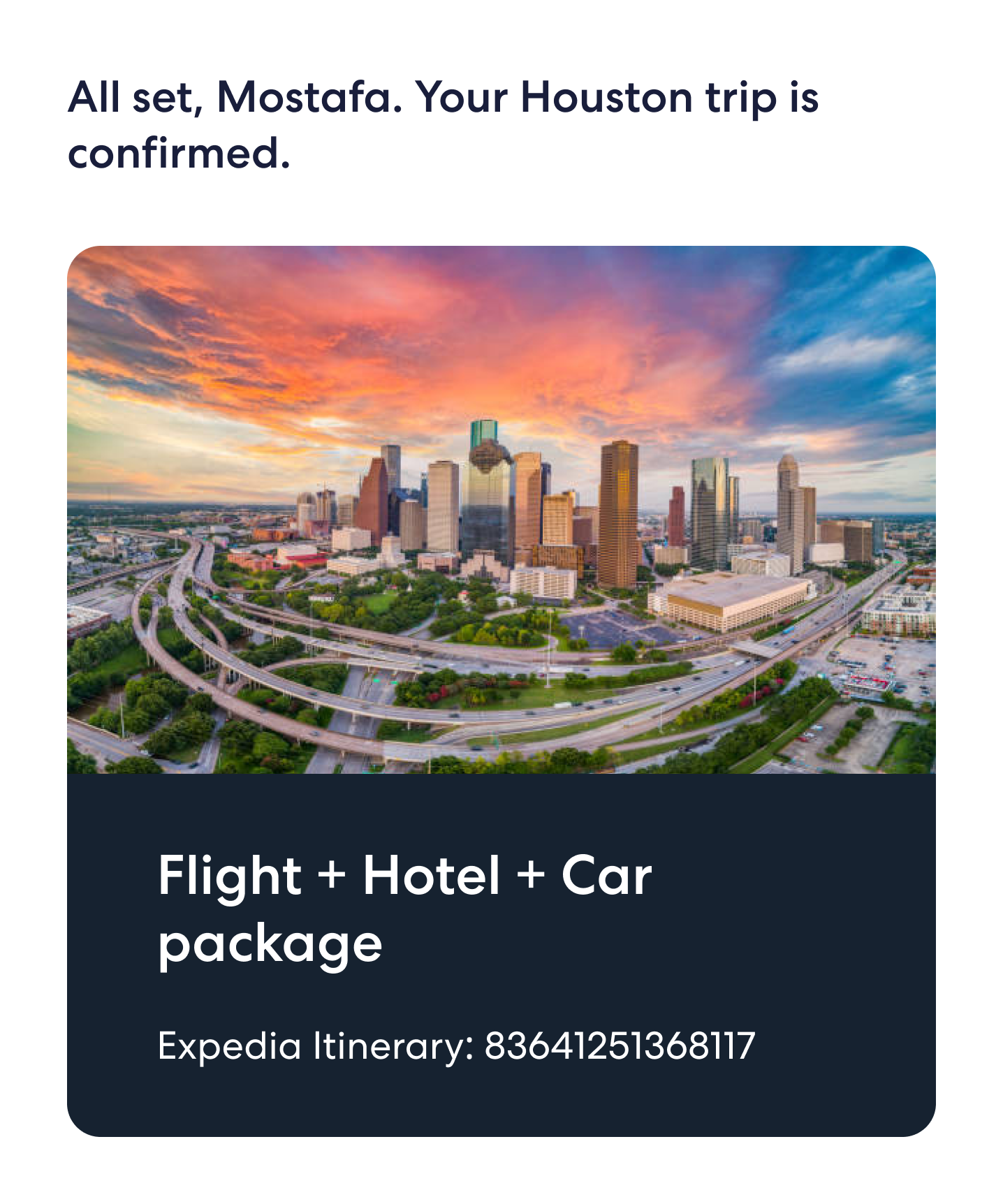
Package confirmation hero: 'All set, Mostafa. Your Houston trip is confirmed.' over a Houston skyline, with a 'Flight + Hotel + Car package' panel and itinerary number.
Package

The redesigned purchase confirmation email

A collaborative, modular approach drastically rebuilt the purchase confirmation emails.

Structure

Content was broken down into more succint and visually thoughtful modules ordered intentionally.

Monetization

Surfaced opportunities to further upsell and engage loyalty offerings to travelers.

Visual design system

Partnered with the design and brand team to align on typography, color, and iconography, building a unique email design system.

The redesigned purchase confirmation email: 'All set, Mostafa. Your hotel is confirmed.', a Turtle Bay Resort hero photo, View booking and Change-or-cancel buttons, a One Key rewards module, a price details breakdown, a Protect my stay upsell, a member-deals module, and a Here to help section.

A/B testing

I sat in Test and Learn meetings to assess the impact of legacy vs optimized email designs. Based on those findings, I'd iterate upon the module design and order to queue up versions for the following A/B tests.
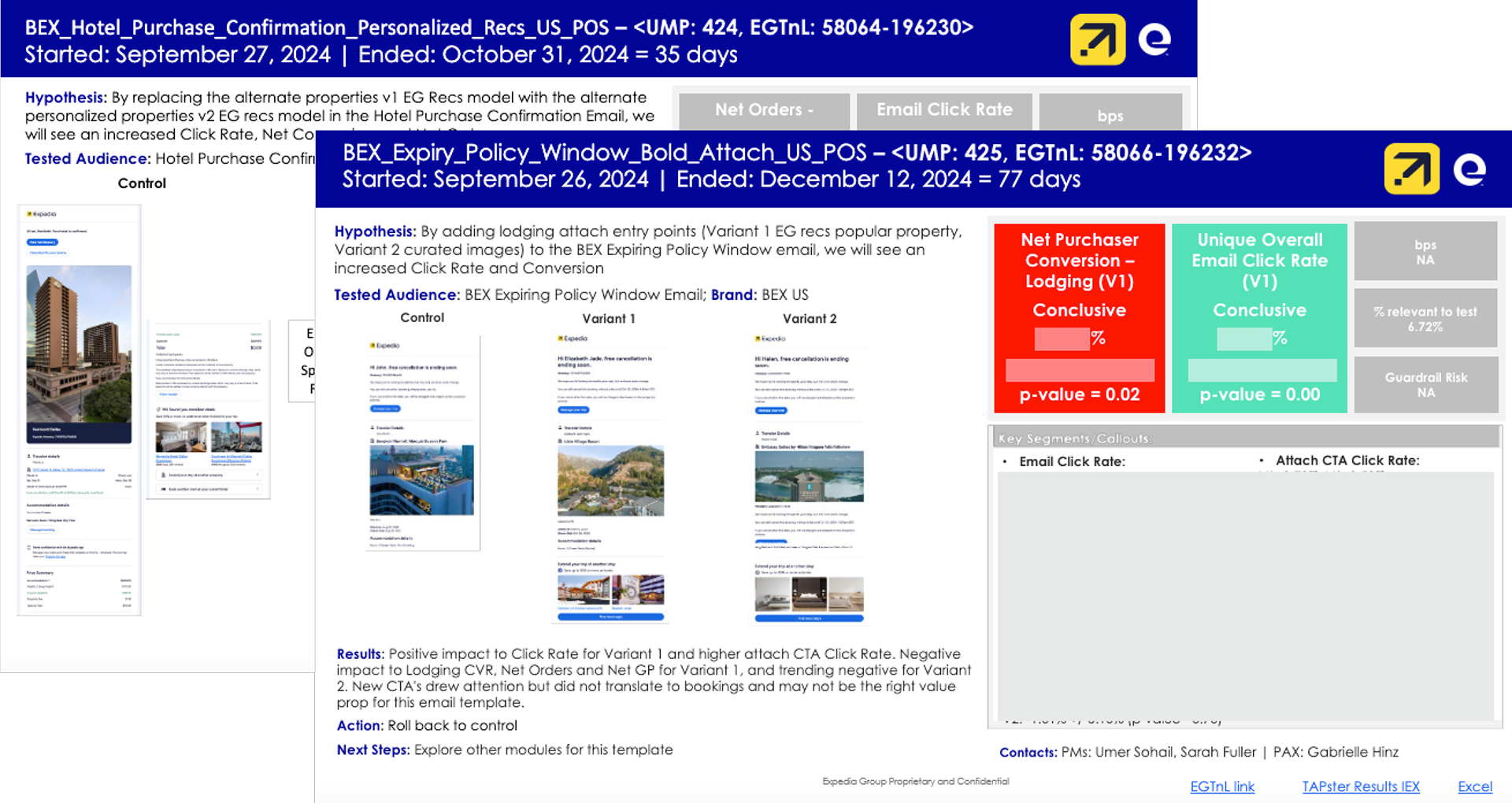
A/B test results
Two monthly Test & Learn review slides layered together: a hotel purchase-confirmation personalized-recommendations test (35 days) and an expiring-policy-window lodging-attach test (77 days), each with hypothesis, tested audience, control/variant screenshots, and conclusive click-rate and conversion results.
Monthly Test & Learn readouts, with exact metrics scrubed
Button affordances moving up increased CTR
What I learned
Design to influence

Recommendations had to reach and persuade the right people to create change

Take initiative and iterate

Bring strong hypotheses forward vs wait for perfect alignment

Design in systems

Visualizing communications through journey maps and system diagrams made scaling simpler later on